
Analytics Dashboard
Real-time document analytics — KPIs, trends, and activity at a glance — powered by the same telemetry behind Document Analytics and per-recipient link tracking.
From Overview to Insight
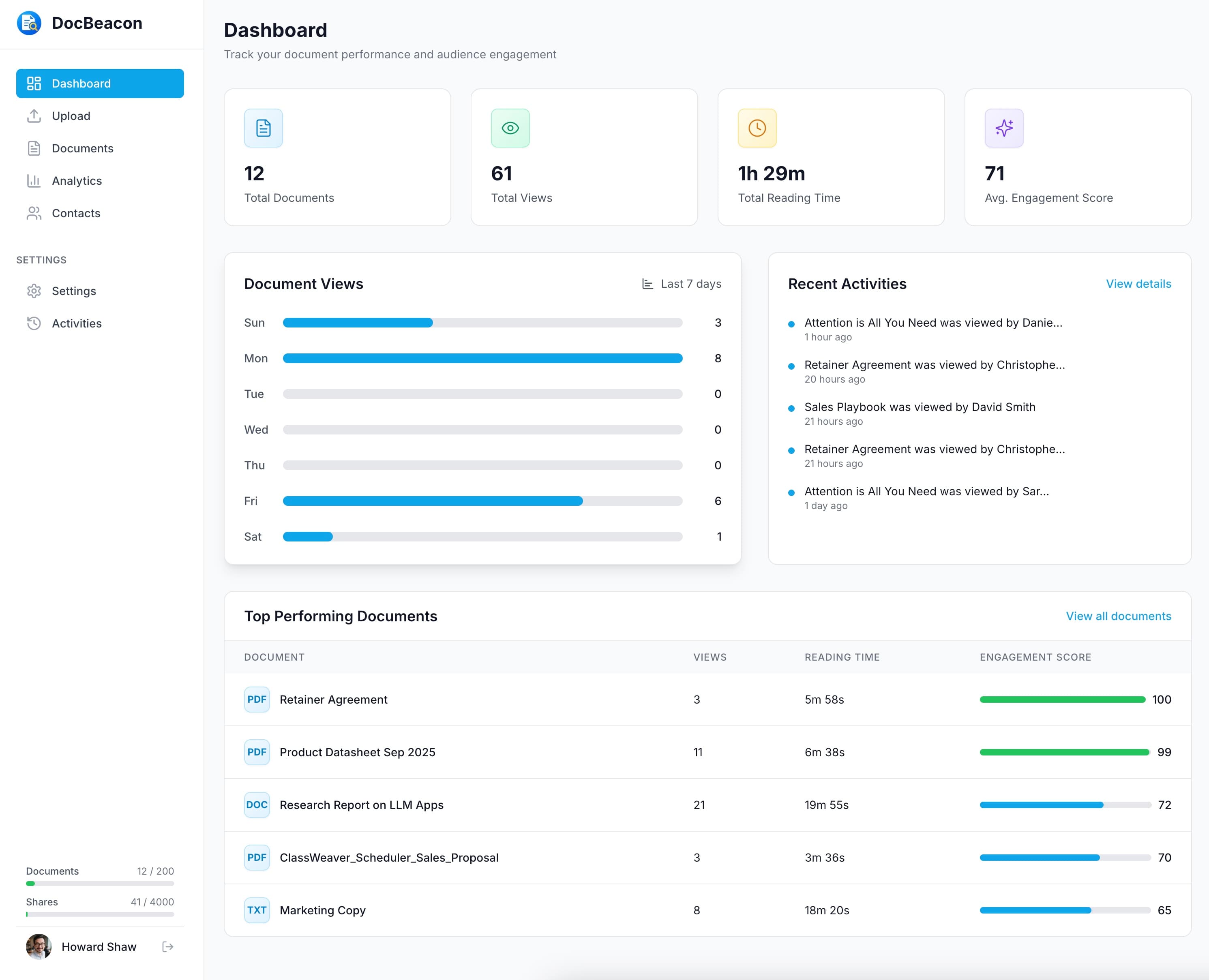
Transform high-level metrics into actionable insight across document tracking and document sharing workflows. Explore engagement analytics, activity signals, and top-performing content in one view, then dive into document heatmaps when you need section-level attention.
Dashboard Overview
See core KPIs, trends and activity at a glance.
Document Views Trend
Visualize daily view counts to understand momentum and seasonality.
Recent Activities
See who viewed, shared, downloaded, or removed documents in real time.
Top Performing Documents
See leaders ranked by engagement score, with views and reading time as tie-breakers.
Core KPIs
- Total Documents — count of documents currently tracked.
- Total Views — times your documents were opened and rendered.
- Total Reading Time — cumulative time spent reading across sessions.
- Avg. Engagement Score — composite 0-100 score comparing session quality.
Dashboard FAQs
Answers to common questions about metrics, trends, and rankings.
What KPIs does the dashboard track?
The dashboard covers Total Documents, Total Views, Total Reading Time, and the Avg. Engagement Score.
How is the Avg. Engagement Score calculated?
Engagement Score is inferred by a machine-learning model from user behavior signals to produce a 0-100 session quality score. Avg. Engagement Score is the average of Engagement Scores across all documents.
What counts as a view?
A view is recorded when a document is opened and rendered. Repeated refreshes within short windows may be deduplicated to keep metrics meaningful.
How often are metrics updated?
KPIs and trends update in near real time as activity occurs. The 7-day chart shows daily totals for the last seven days.
How are Top Performing Documents ranked?
Documents are ranked by engagement score; ties are broken by reading time and views.
Can I identify who viewed a document?
When you assign viewer identities to share links, the activity feed shows who viewed. Public shares appear as anonymous sessions.
Monitor Performance in Real Time
Start using the analytics dashboard to track document performance and make data-driven content decisions.